
Vidix-AI Photo Video Generator
Supercool LabsArt & Design
4.2550.00 Reviews
- Version
- 1.3.0
- Installs
- 10.00M
- Age Rating
- Everyone
Screenshots

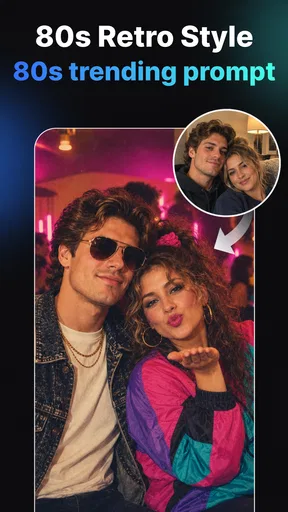

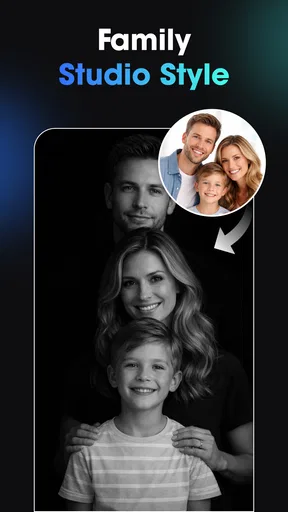
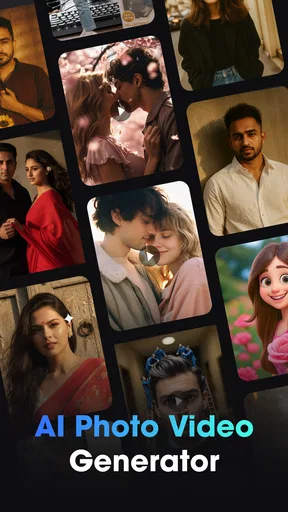

Our Review of Vidix-AI Photo Video Generator
 Analysis by Appyee
I spent time with Vidix-AI Photo Video Generator to see whether its central promise—turning ordinary ideas into AI-styled photos and short visual creations—feels useful beyond a quick novelty test. My overall impression is that it works best as a fast creative starting point. It is aimed at people who want to experiment with filters, effects, moving visuals, and three-dimensional art looks without first learning a traditional editing program.
That focus makes Vidix interesting in the art and design category. It is not trying to replace a full desktop editor or a careful illustration workflow. Instead, it puts visual transformation within reach of someone using a phone during a spare moment. I found the appeal strongest when I had a clear purpose for an image, such as preparing a social post, testing a profile-picture style, or giving a familiar photo a more imaginative treatment.
Supercool Labs presents the app as a free download, with optional purchases ranging from $0.99 to $79.99 per item. That combination matters: it is easy to begin, but anyone planning frequent AI creation should pay attention to how quickly optional spending can become part of the experience. The app is suitable for Everyone, runs on Android 7.0 or later, and the current version is 1.2.4.
Why Vidix stands out as an AI visual playground
The most important capability here is the ability to move from a normal image or creative prompt toward a more stylized result using AI photos, AI video, filters, effects, and three-dimensional art styles. In practical terms, Vidix reduces the distance between “I have an idea” and “I can show someone what that idea looks like.” That is more valuable than it may sound, especially for people who are comfortable imagining a look but do not want to assemble it manually from layers, masks, brushes, and animation controls.
I liked thinking of the app as a visual sketchbook rather than a finished design studio. A sketchbook is useful because it encourages trials. You can compare a realistic treatment with something more dramatic, playful, or dimensional, then decide whether one version deserves more work elsewhere. The AI approach also makes the first result arrive much faster than a conventional editing process.
The three-dimensional styles are particularly useful when a flat image feels too ordinary. They can give a portrait, object, or concept a stronger sense of visual identity. That does not mean every result will look polished or appropriate. AI styling can exaggerate details, alter the mood of a face, or make an object feel less natural than the original. I see that unpredictability as part of the tool, but it means the app rewards selection and refinement rather than blind acceptance of the first output.
Vidix also makes sense for short-form content creators who need variety. A single source image can become the basis for several different visual directions. Instead of repeatedly searching for unrelated stock imagery, I could use one personal photo as a controlled starting point and explore how it changes under different artistic treatments. That gives a post or concept a more personal connection, even when the result is intentionally stylized.
Using the app as a first draft, not a final authority
My best results came when I decided in advance what I wanted the image to communicate. “Make this more interesting” is too vague as a creative goal. A better approach is to choose a mood or function first: a futuristic avatar, a dreamy background, a playful announcement image, or a bold visual for a short video. With that decision made, the filters and effects become choices rather than distractions.
A useful habit is to keep the original image mentally separate from the generated version. AI styling is not always an improvement in a technical sense. It may create more impact while losing small details that made the source photo meaningful. For a personal memory, I would preserve the original and treat the Vidix version as an interpretation. For a social graphic, I might prefer the interpretation if it communicates faster on a small screen.
This distinction also helps explain where the app sits beside familiar alternatives. A standard photo editor gives me precise control over exposure, cropping, color, retouching, and layers. A template-based design app gives me predictable layouts and typography. Vidix offers less manual certainty but more immediate transformation. If I know exactly where every element should go, a traditional editor is better. If I want to explore a visual direction quickly, Vidix is more inviting.
What the workflow feels like in everyday use
The natural workflow starts with choosing a visual starting point, selecting a style or effect, and judging the result as a creative variation. The important skill is not technical editing; it is knowing when to stop experimenting and choose a version that serves a purpose. I found that endless browsing through styles can become a trap. The app is most productive when I set a small target, make a few deliberate variations, and compare them side by side in my own mind.
For a realistic everyday scenario, imagine taking a photo before meeting friends and wanting a distinctive image for a group message or social post. Instead of spending time building a design from scratch, I could use Vidix to test a clean artistic look, a more energetic effect, and a three-dimensional treatment. The first option might preserve recognizability, while the latter two could create more personality. I would then choose the version that still looks like the person or place I intended to show.
Another practical use is planning. Someone designing a small event poster, a personal brand image, or a product concept could use the app to generate visual directions before committing to a polished layout. The output may not be the final asset, but it can answer an early question quickly: should the project feel colorful, cinematic, futuristic, soft, or playful? That kind of visual decision is often easier to make after seeing a rough example.
For video, I would approach the feature with a different expectation. AI video is appealing when a still image needs more movement or when a creator wants a visual variation rather than a complete edited production. It should not be confused with a full video editor for arranging a detailed timeline, controlling every transition, or building a carefully synchronized story. Vidix is better suited to generating an attention-grabbing visual moment than managing an entire production from beginning to end.
Small decisions that improve the results
One non-obvious lesson is that source quality matters even when AI is doing the creative work. A cluttered image gives the effect more competing information to reinterpret. When I want a cleaner result, I would begin with a clear subject, strong separation from the background, and a composition that already works before styling. AI can change the mood, but it cannot reliably rescue every weak photograph.
A second useful tactic is to use styles according to the destination. A highly detailed three-dimensional effect may look exciting when viewed full-screen but become visually noisy as a small profile image. A simpler treatment can communicate better in a thumbnail. I would preview the result at the size where people will actually see it, rather than judging only by the enlarged image on the phone.
A third insight concerns consistency. If I am preparing several images for the same account or project, I would keep the source type and general visual direction similar instead of choosing a completely different effect each time. The app makes variety easy, but too much variation can make a collection feel accidental. Vidix is strongest when its flexibility is guided by a recognizable theme.
I would also save or retain the original before experimenting. That is basic creative hygiene, but it becomes especially important when an AI transformation changes facial details, text-like elements, or the identity of an object. The original gives me a reliable fallback and lets me compare whether the effect truly added value.
Where the free entry point meets real limitations
The free price makes Vidix easy to try, and that is a genuine advantage for casual creators. At the same time, optional purchases mean the most enthusiastic users should think about their usage pattern. Someone who only wants occasional experiments may be perfectly comfortable with the free starting point. Someone who expects to generate constantly should examine the purchase prompts carefully before treating the app as an unlimited creative workspace.
I would not choose Vidix when accuracy is more important than interpretation. A professional product mock-up, a precise architectural visualization, or a design that must preserve exact lettering calls for tools with stronger manual control. AI effects can produce attractive images while quietly changing details. That trade-off is acceptable for inspiration and social creativity, but risky when the image needs to represent a real object exactly.
There is also a creative trade-off between speed and authorship. Vidix can help me reach an appealing result quickly, but the app does more of the visual decision-making than a traditional editor. If I enjoy adjusting every color, edge, layer, and texture myself, I may find the process limiting. The app is not a substitute for learning those skills; it is a shortcut around the earliest and most repetitive stages of visual experimentation.
Results can also depend on how well a chosen style fits the source. A portrait, landscape, product photo, and simple graphic do not all benefit from the same treatment. When an effect feels awkward, I would not immediately assume the app failed. I would first ask whether the image and style are mismatched. Still, people who want predictable, repeatable output may prefer a conventional filter system where the same adjustment behaves consistently every time.
Who will get the most from Vidix?
Vidix is a strong fit for social-media users, casual photographers, visual hobbyists, and anyone who wants to test an idea without opening a complex editor. It is also useful for creators who need a quick source of visual variations. The app’s broad appeal is reflected in its 4.7 average from around 100 thousand ratings, while more than 10 million installs suggest that the concept has reached a substantial audience.
I can especially recommend it to people who often say, “I know the mood I want, but I do not know how to make it.” The AI approach gives that kind of user a practical way to explore. It can turn a vague direction into several visible possibilities, which is often enough to unlock the next creative decision. Beginners may appreciate the lower technical barrier, while experienced designers can use the results as rough references or mood-board material.
I would be more cautious recommending it to a photographer who wants faithful editing, a brand designer who needs exact typography, or a video editor who expects detailed timeline control. Those users may still find occasional inspiration here, but a dedicated photo, design, or video application will offer more reliable control. Vidix earns its place when speed, experimentation, and visual surprise matter more than precision.
The age rating of Everyone also makes the app approachable for a broad audience, although that should not be taken as a promise that every generated result will suit every context. I would still review images before sharing them, particularly when using dramatic effects on faces or personal photos. The responsibility for choosing an appropriate final image remains with the person using the app.
My recommendation after testing its creative role
Vidix works because it makes visual experimentation feel immediate. Its most convincing role is not as a complete replacement for established editing software, but as a fast idea generator that can turn a familiar photo into something more expressive. The combination of AI photo and video creation with filters, effects, and dimensional styles gives casual creators plenty of room to explore, provided they are willing to judge results rather than accept them automatically.
The app is free to start, supports Android 7.0 and later, and comes from Supercool Labs. Those practical details make it accessible to many phone users, while the optional purchases are the main point I would keep in mind before using it heavily. I would begin with a specific project, preserve the original image, compare a small number of styles, and check the final result at its intended viewing size.
My final view is positive but deliberately measured. Vidix is at its best when you need a fast visual direction, not when you need exact professional control. If that matches the way you create—trying ideas, shaping a mood, and choosing the most convincing variation—it is worth installing. If your work depends on perfect detail, repeatable adjustments, or a complete video-production workflow, I would use it only as a source of inspiration alongside a more precise alternative.
Privacy and Permissions
See what permissions an app requests and how it handles your data.
- Photos/Media/Files
- read the contents of your USB storage, modify or delete the contents of your USB storage
- Storage
- read the contents of your USB storage, modify or delete the contents of your USB storage
- Camera
- take pictures and videos
- Wi-Fi connection information
- view Wi-Fi connections
- Other
- view network connections, change network connectivity, disable your screen lock, full network access, run at startup, draw over other apps, control vibration, prevent device from sleeping, set an alarm, Google Play license check
Verdict
Strengths of Vidix-AI Photo Video Generator
- Turns text prompts and photos into creative videos quickly.
- Offers multiple AI styles for varied visual results.
- Simple interface makes experimentation accessible to beginners.
- Useful for social media posts, stories, and short promotional clips.
- Cloud-based generation avoids demanding hardware requirements.
Limitations of Vidix-AI Photo Video Generator
- Results can vary noticeably between prompts and attempts.
- Some advanced effects may require a paid subscription.
- Video generation may take longer during busy periods.
- AI details can look distorted, especially in faces and hands.
- Export options and resolution may be limited on the free plan.
Other Releases by Supercool Labs
View All
Photo Editor Video Maker Music
Video Players & Editors4.4
Similar Picks in This Category
View All
Canva: AI Photo & Video Editor
Canva4.8

PENUP – Drawing-sharing SNS
Samsung Electronics Co., Ltd.4.5

Crafto
Kutumb App4.6

Sketchbook
Sketchbook4.1

ibis Paint X
ibis inc.4.5

Adobe Express: AI Photo, Video
Adobe4.6
Frequently Asked Questions
What is Vidix-AI Photo Video Generator used for?
Vidix-AI Photo Video Generator is designed to turn still images and creative prompts into short AI-generated videos or animated visual content. It can be useful for social media posts, profile videos, digital storytelling, presentations, and experimenting with different visual effects. The available tools may vary by platform version, so users should review the current feature list before downloading.
Do I need professional editing skills to use Vidix-AI Photo Video Generator?
No, the app is generally aimed at casual users as well as creators who want a faster way to produce animated content. Most workflows are based on selecting a photo, choosing a style or effect, and allowing the AI to process the result. However, generating a polished video may still require some experimentation with prompts, image quality, motion settings, and export options.
Is Vidix-AI Photo Video Generator free to download and use?
The application may be available as a free download, but some advanced AI effects, higher-quality exports, additional templates, or faster processing options can require in-app purchases or a subscription. Before starting a trial, check the pricing page carefully, including renewal terms. Availability of free credits and premium features can also change between Android and iOS versions.
What photos and permissions does Vidix-AI Photo Video Generator require?
To create content, Vidix-AI Photo Video Generator typically needs access to selected photos or files on your device. Depending on the features you use, it may also request permission to save generated videos, access the camera, or connect to the internet for cloud-based AI processing. Grant only the permissions you are comfortable with, and avoid uploading private or sensitive images unless you understand how they are handled.
Can I share or export videos created with Vidix-AI Photo Video Generator?
The app is intended to make generated visual content easy to save or share, usually through an export button or the device’s standard sharing menu. Export quality, video length, file format, and watermark restrictions may depend on your plan or the selected feature. Before publishing a result commercially, review the app’s current terms regarding ownership, licensing, and acceptable use of AI-generated content.
